A whole creative toolbox inside Unity.
Night Hawk’s Unified Editor is being built as a large Unity editor suite: a dark, orange-accented workspace for 3D editing, terrain generation, image and texture work, resource and prefab editing, scene tools, avatar creation, and future media workflows.
The goal is simple: keep more of the game-development process inside one connected editor environment instead of forcing creators to jump between disconnected tools for every task.
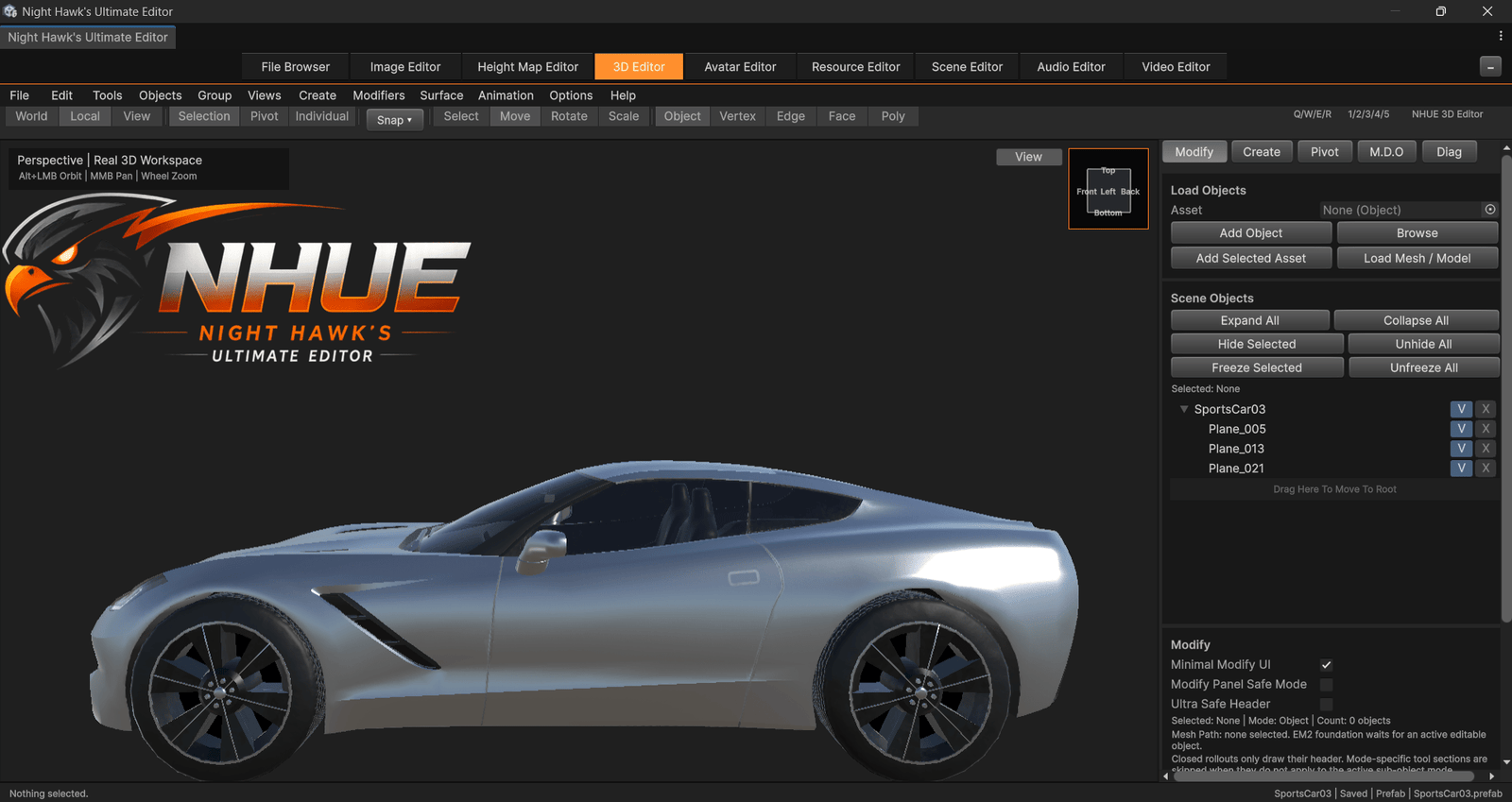 3D Editor
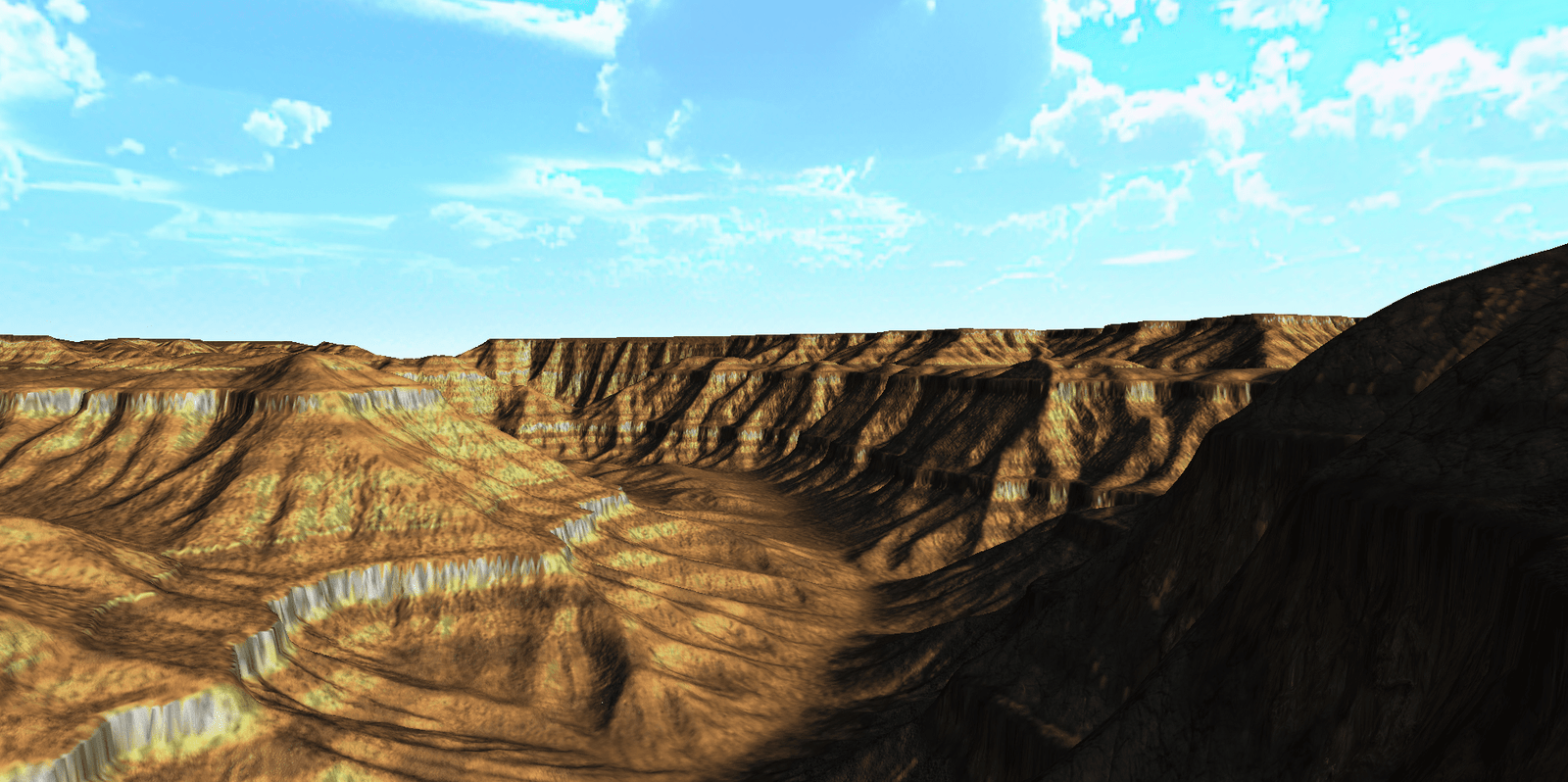 Terrain
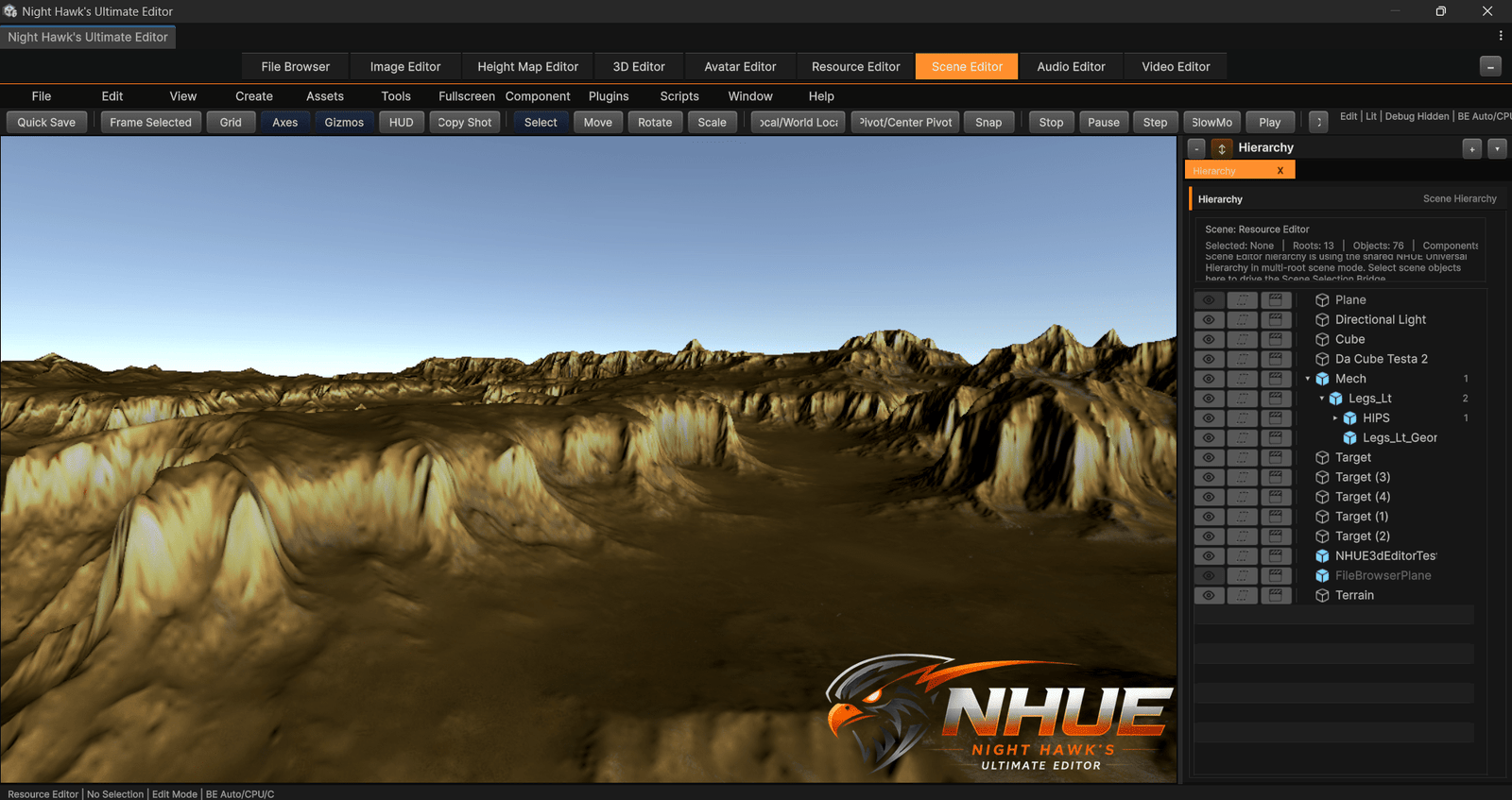
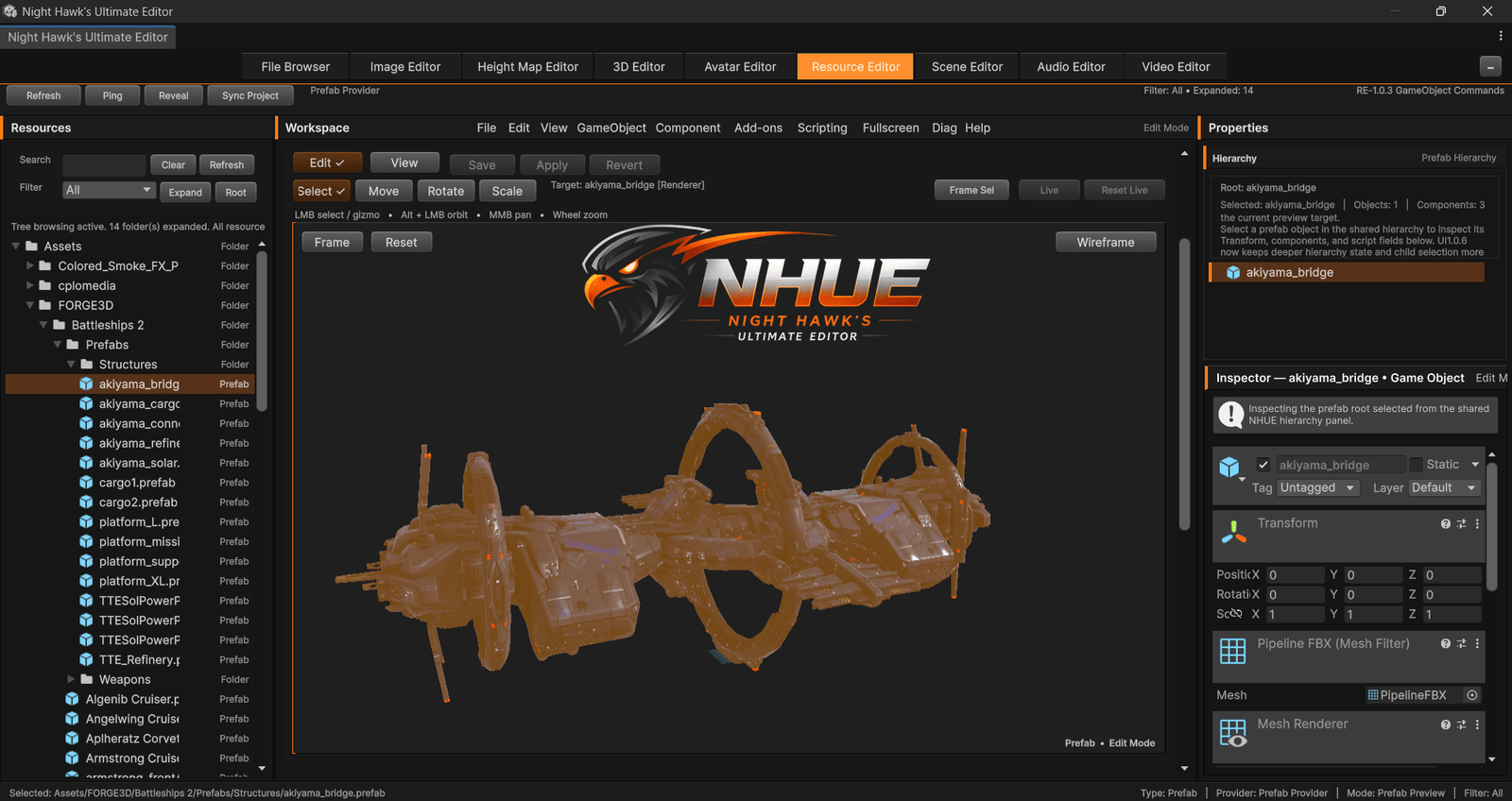 Resource Editor
Everything starts from one connected editor workspace.
NHUE is not one small utility window. It is a growing set of focused editors that share the same visual identity, workflow direction, and technical backbone.
3D Editor
Create, inspect, transform, select, modify, import, export, and prepare 3D content inside a dedicated modeling-style workspace.
- Object, face, poly, edge, and vertex workflows
- Gizmos, pivots, selection tools, modifiers, materials
- OBJ, STL, PLY, glTF, GLB, and Ogre mesh direction
Surface Forge
A surface and UV-focused workspace for preparing models so texture work has a cleaner foundation.
- 2D UV layout and 3D preview direction
- Checker preview workflows
- Mesh2/Editable Mesh 2.0 integration path
Height Map Editor
Terrain-focused tools for shaping height data, filters, signals, landforms, masks, color maps, and worldbuilding foundations.
- Procedural generation, terrain profiles, and filter stacks
- Terrain Signals, TAM, AMG, masks, and control-map workflows
- Gradient ramps, Normal/Light Map outputs, terrain recipes, and preview tools
Final Terrain Package
A terrain finalization and preview workflow for turning height data into polished terrain presets, visuals, lighting, and clean showcase captures.
- Color ramps, sky mood presets, lighting, terrain visuals, and preset workflows
- Walk/Fly preview, Screenshot Mode, and Shift+C clean captures
- Future fog, water, scatter preview, and terrain presentation tools
Gradient Ramp Editor
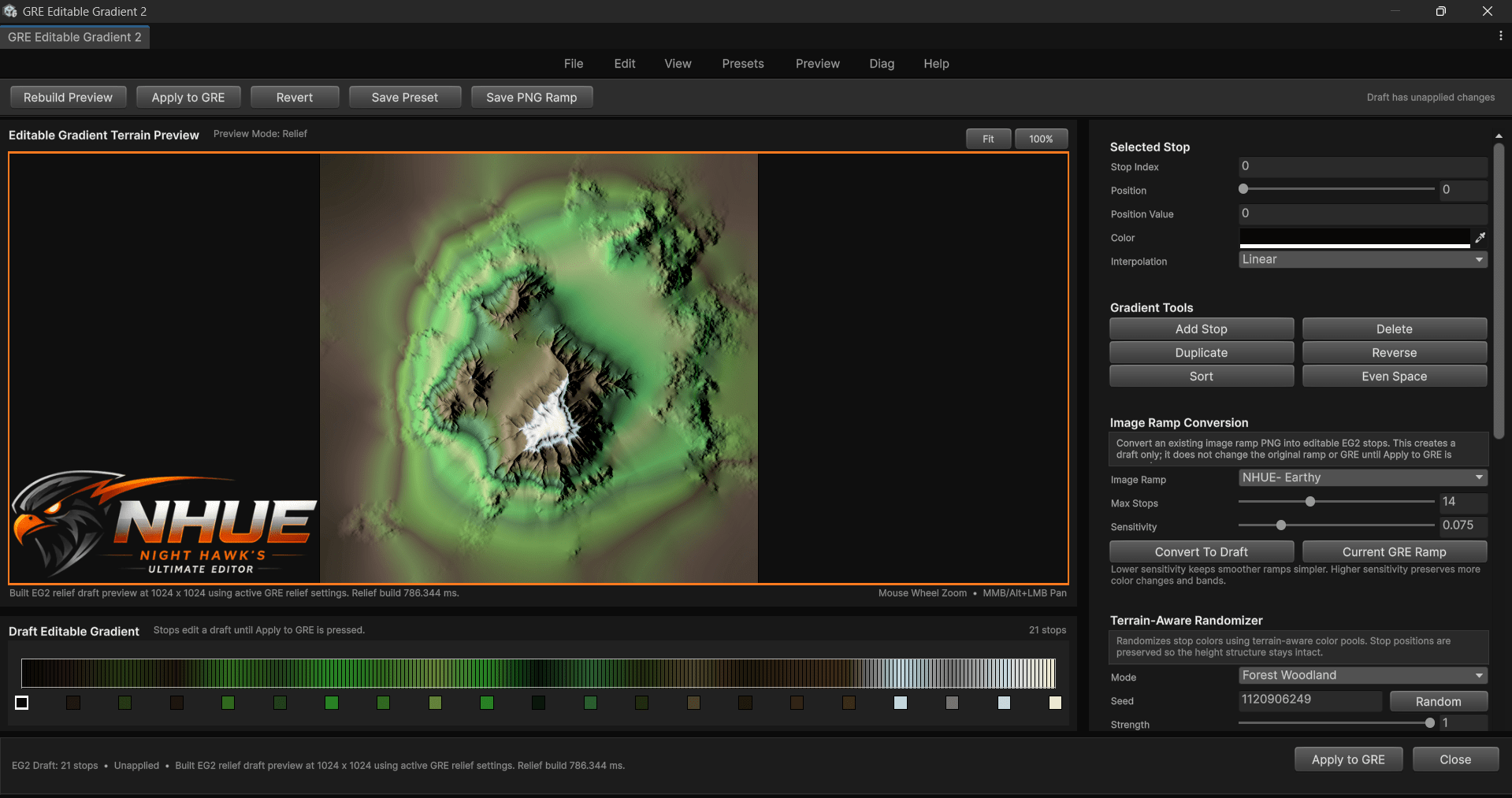
Terrain color-map creation with ramp browsing, Editable Gradient 2, terrain-aware randomization, relief preview, and cleaner colormap export workflows.
- Editable Gradient 2 and built-in terrain presets
- Terrain-aware color randomization and relief preview
- Ramp Browser, PNG ramps, and FTP terrain color integration
Terrain Analysis Masks
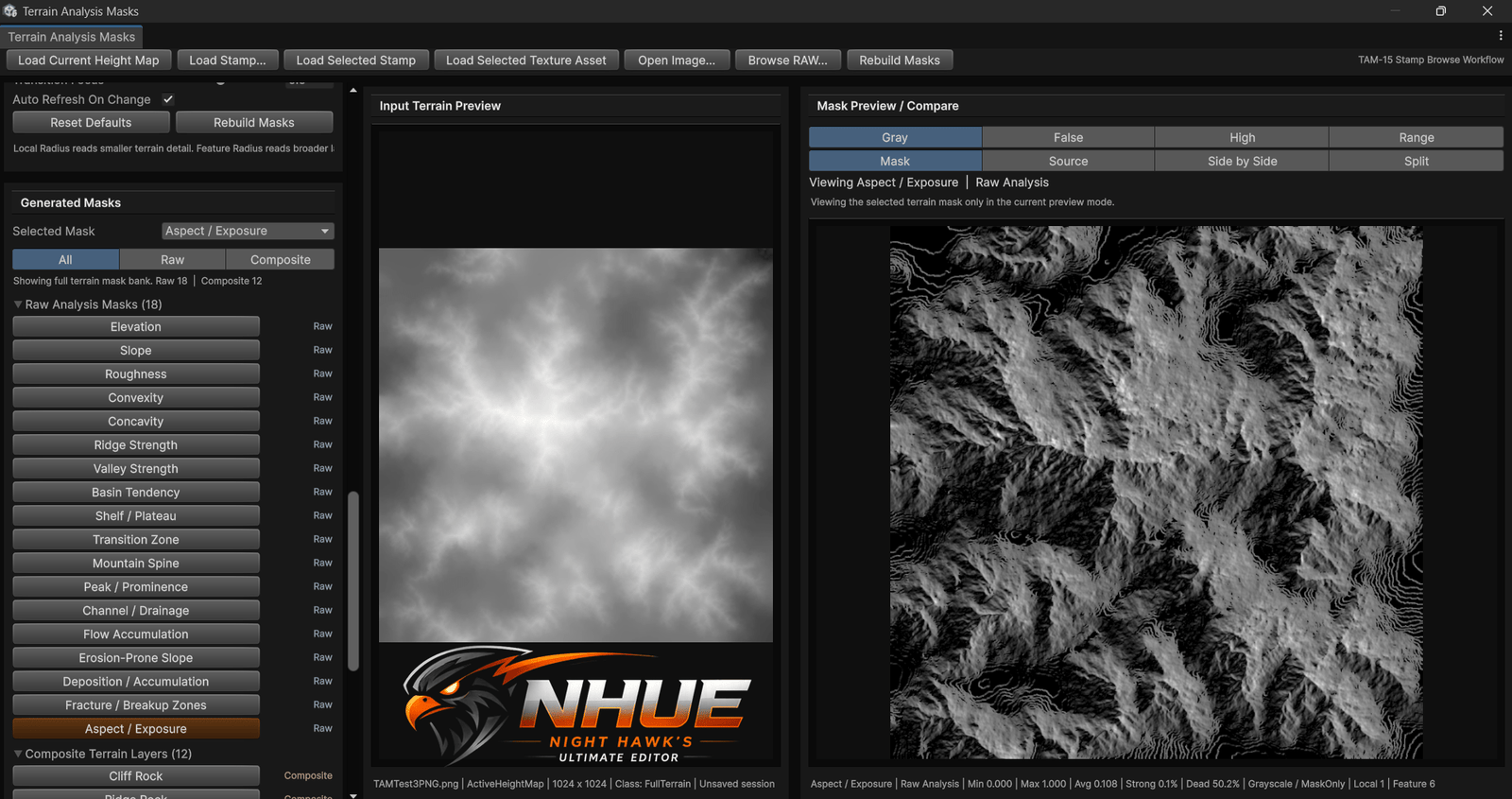
Reusable terrain masks generated from height data for material control, filters, presets, placement logic, and future terrain systems.
- Slope, convexity, concavity, ridges, valleys, flow, aspect, and exposure
- Raw analysis masks and composite terrain layers
- Designed to support imported heightmaps, RAW, PNG, stamps, and generated terrain
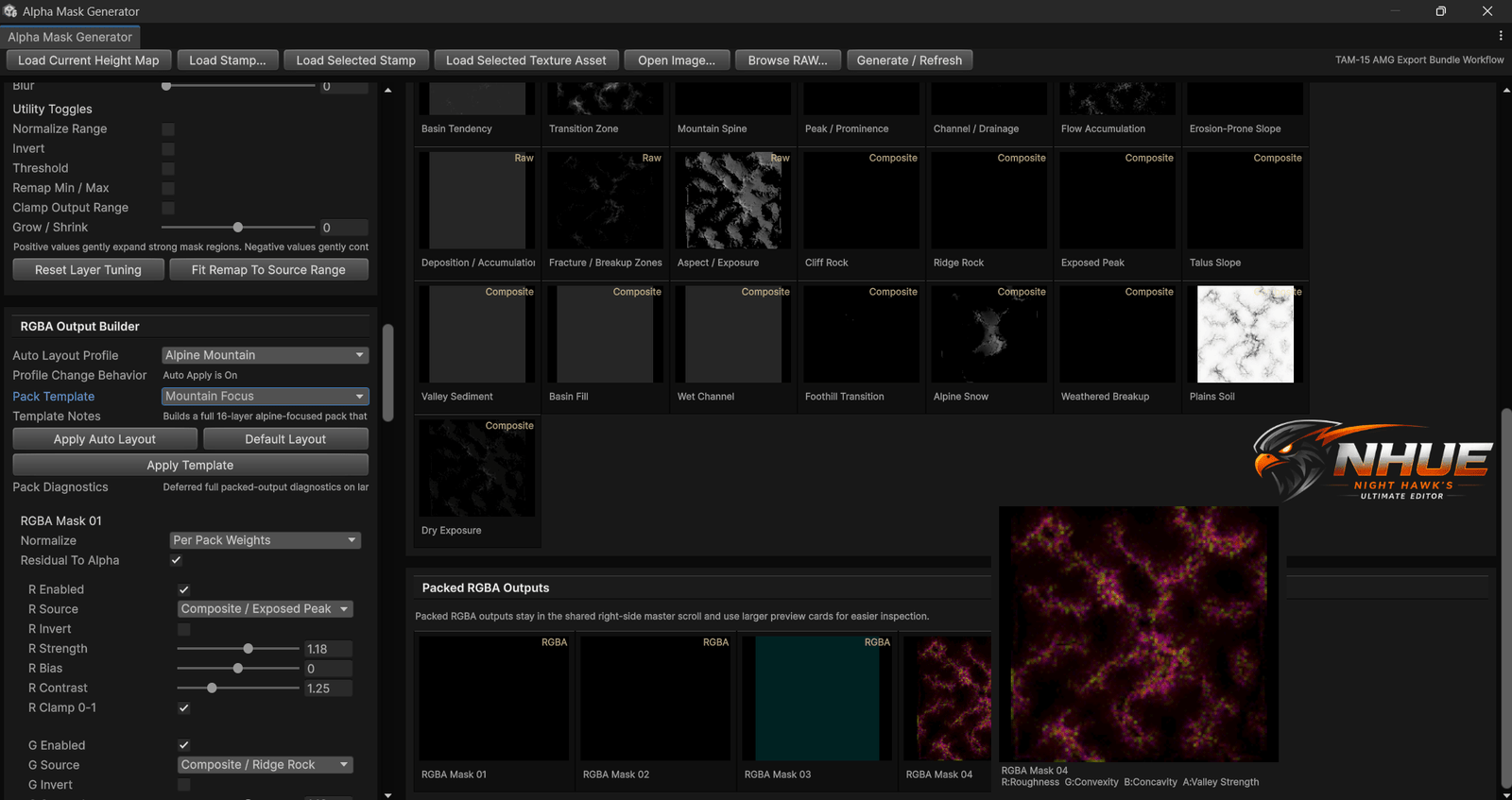
Alpha Mask Generator
Builds grayscale alpha layers and packed RGBA mask outputs from terrain analysis data for terrain materials and control-map workflows.
- Layer banks, selected alpha layers, and packed RGBA outputs
- Auto layout profiles and mask tuning
- Useful for terrain materials, layers, presets, and future worldbuilding systems
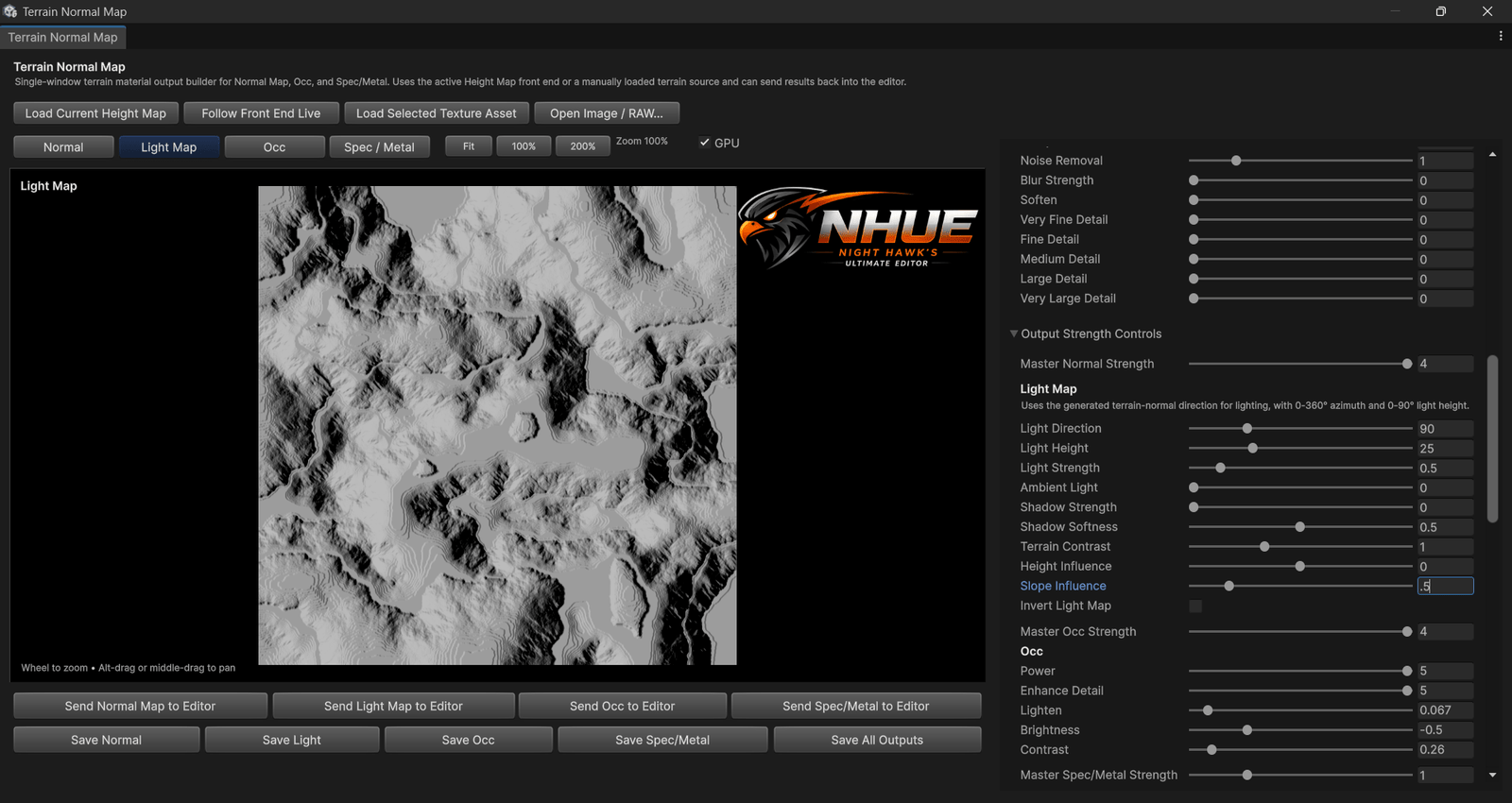
Normal / Light Map Editor
Terrain surface-map generation for normal maps, light maps, occlusion, and spec/metal outputs with GPU-assisted preview workflows.
- Normal, light, occlusion, and spec/metal output tabs
- Terrain-signal influence controls
- Send outputs back to the editor or save map outputs
Image Editor 2
An NHUE-style image and texture editor with layers, selections, paint tools, effects, normal maps, material maps, and Pack Lab workflows.
- Layers, selections, paint, text, shortcuts, and diagnostics
- Normal map, material map, seamless tiling, and 3D preview workflows
- Texture effects, RAW support, packed outputs, and game texture prep
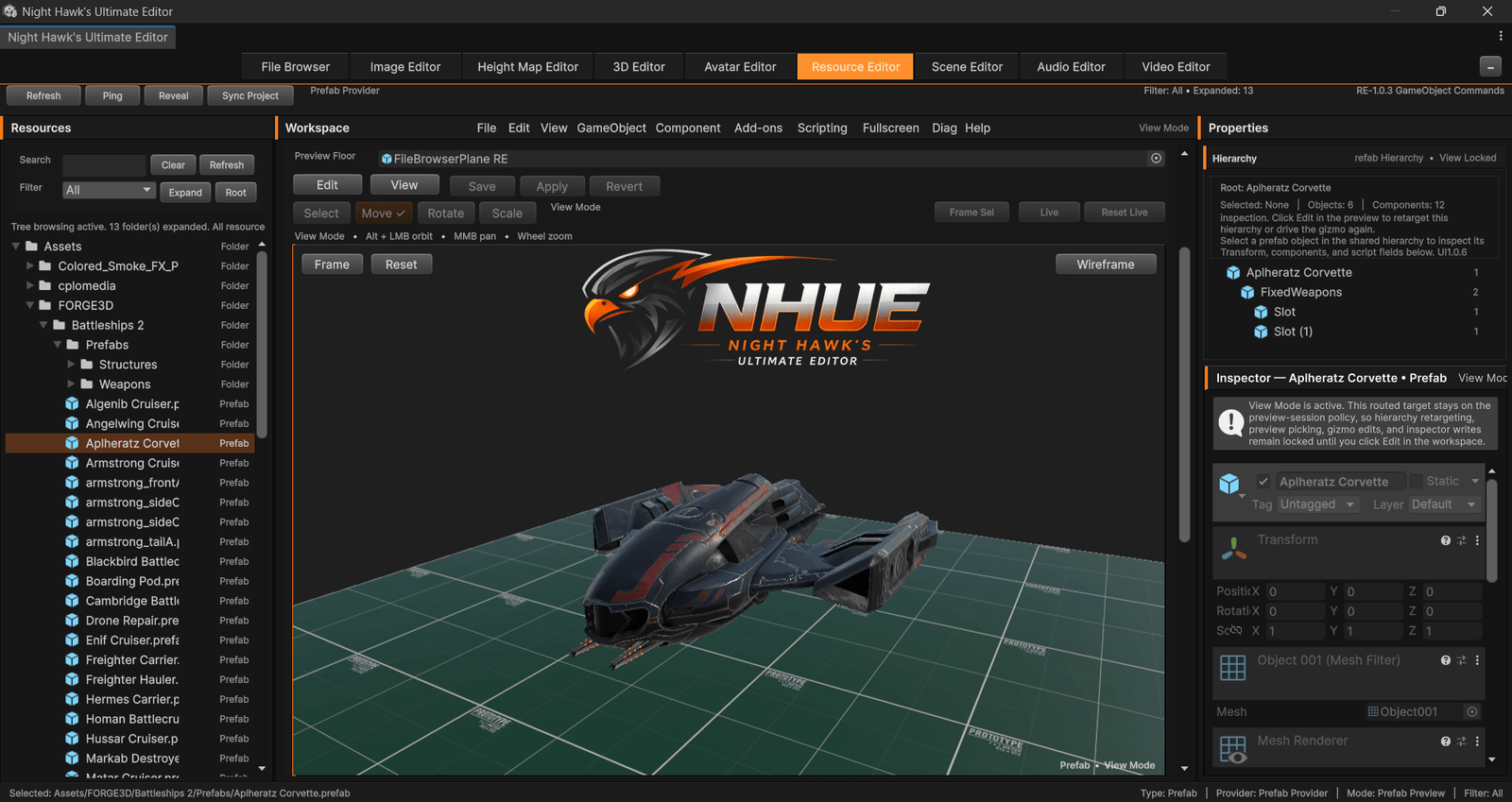
Resource Editor
A prefab and resource editing workspace for opening, previewing, lighting, inspecting, editing, and preparing reusable Unity project content.
- Prefab edit-session direction with View/Edit workflow
- Preview host, inspector host, hierarchy integration, and safer prefab editing
- Material-owner preview direction so materials can be edited while seeing the real mesh or prefab using them
File Browser
An integrated browser for moving through files, assets, images, heightmaps, and editor workflows without leaving the NHUE environment.
- Project navigation
- Send-to-editor workflow direction
- Useful bridge between modules
Scene Editor
A Unity-style scene workspace with hierarchy tools, viewport controls, project panels, icons, terrain import, and inspector integration.
- Hierarchy, project panel, create tools, selection bridge
- Viewport camera, grid, gizmo, and icon workflows
- Terrain RAW import and NHUE Inspector bridge direction
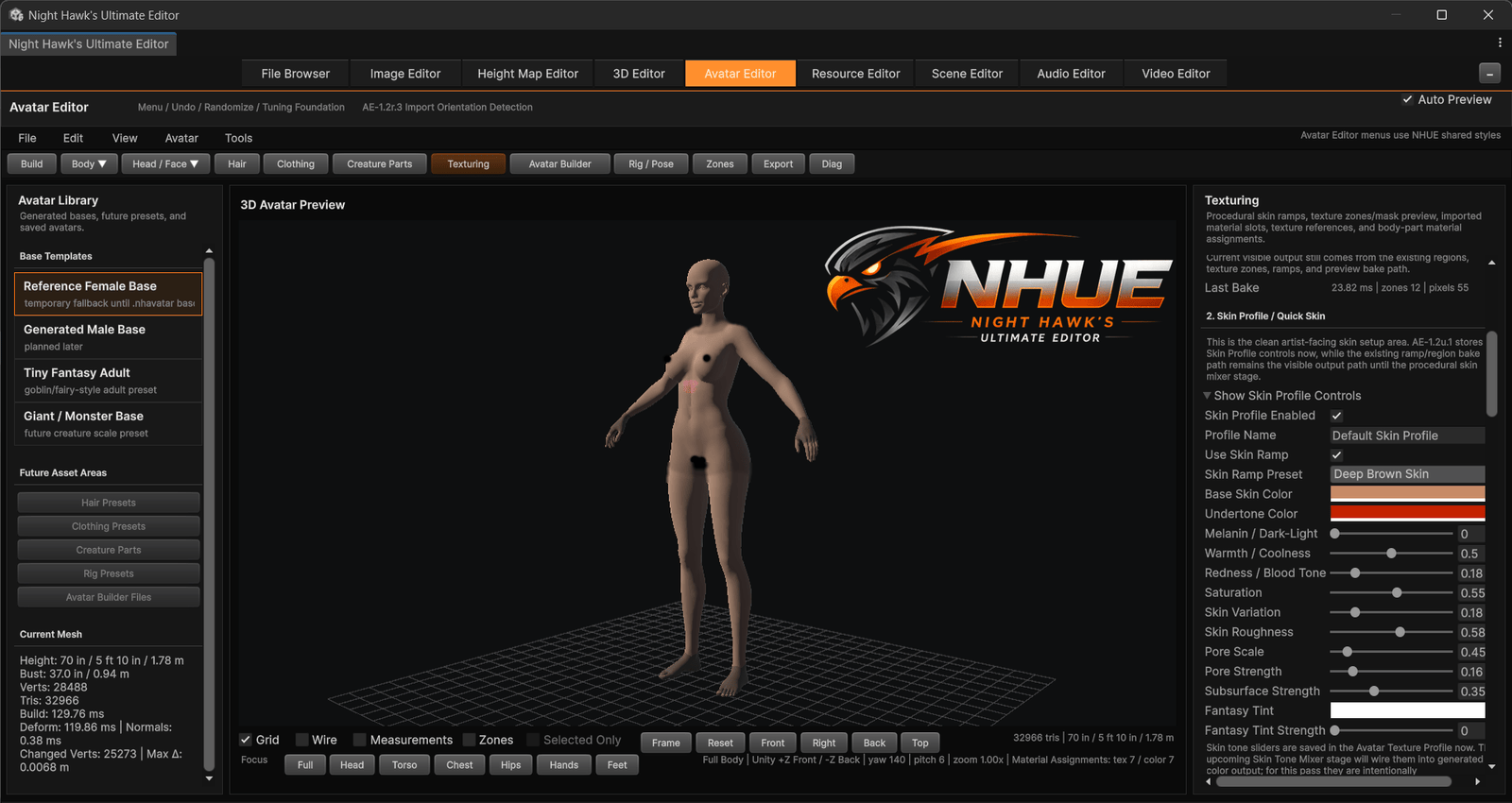
Avatar Editor
A character and creature creation space for sliders, influence zones, texture zones, source mesh import, save formats, and future body-part workflows.
- Body, head, face, deformation zones, and texture zones
- .nhavatar and .nhzone workflow direction
- OBJ source import and procedural/reference body systems
Modeling, selection, pivots, gizmos, modifiers, and mesh tools.
The 3D Editor is one of NHUE’s main pillars. It is being built for object work, sub-object editing, procedural creation, material setup, mesh diagnostics, and practical model import/export.
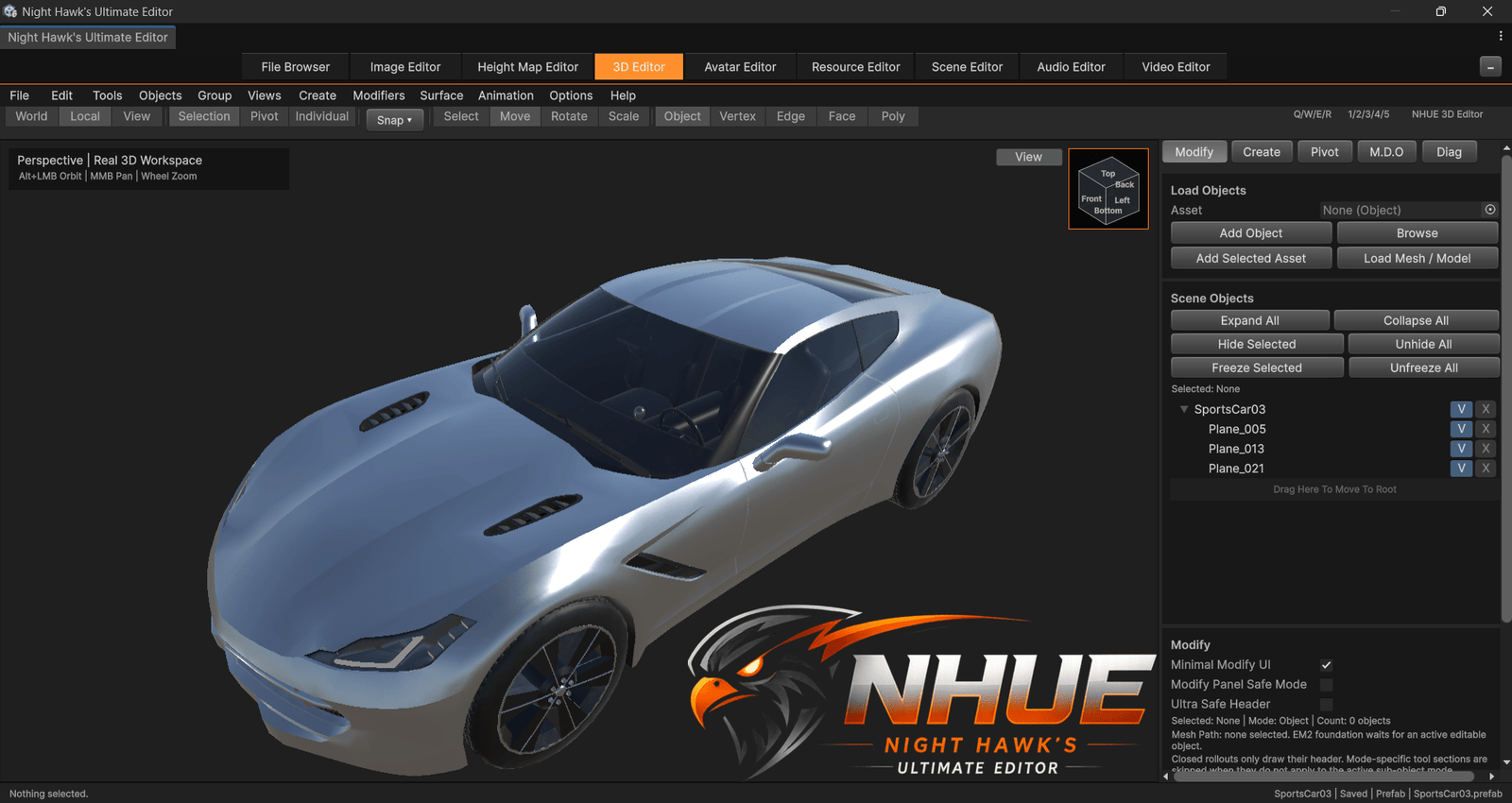
3D Editor
Imported models, viewport tools, object workflows, import/export, modifiers, surface work, and Editable Mesh 2.0 direction.
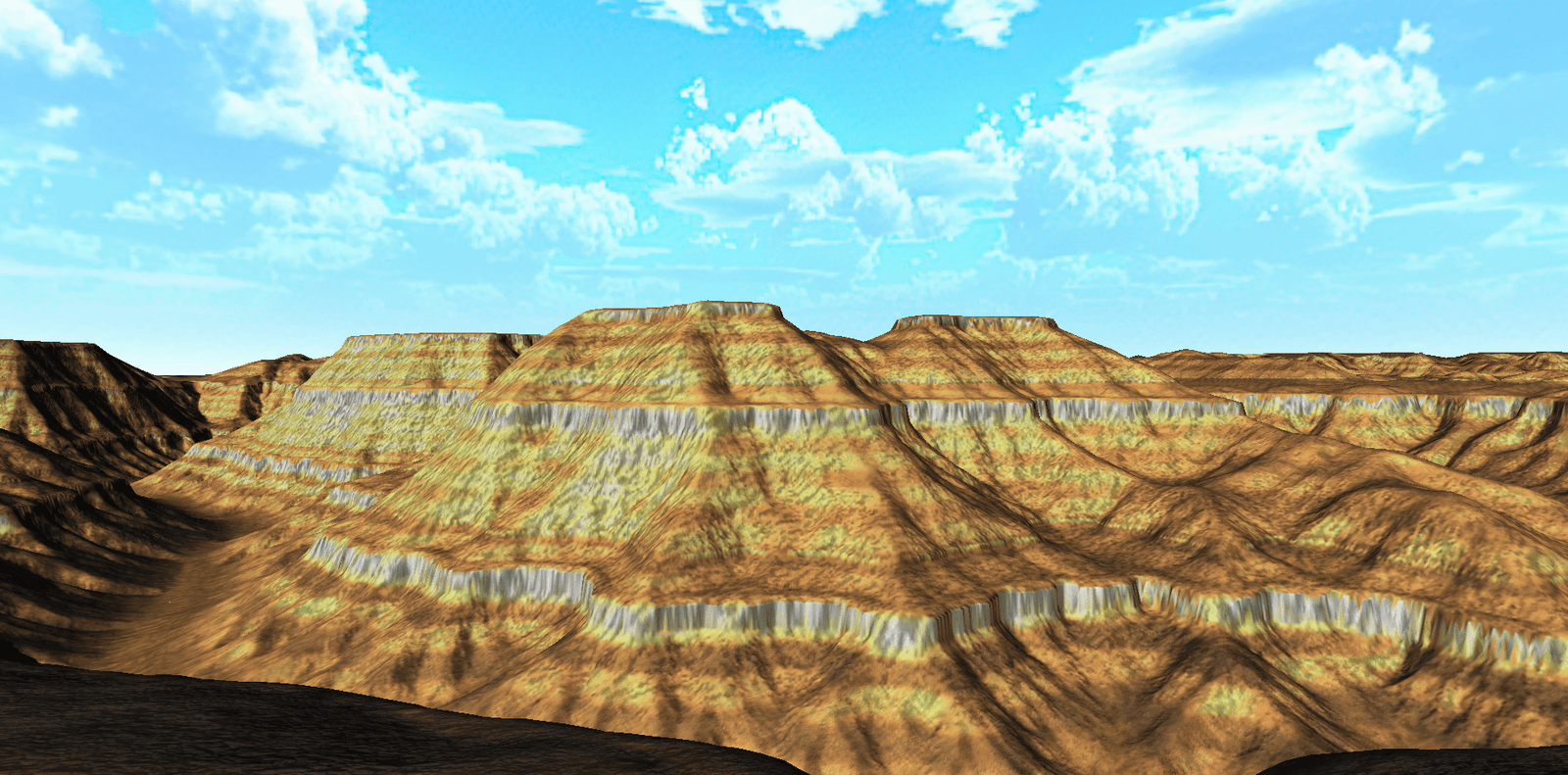
Terrain & Height Maps
Terrain generation, filters, signals, TAM/AMG masks, color ramps, Normal/Light Maps, clean preview captures, and future graph-backed workflows.
Terrain tools for bigger worlds and stronger landforms.
NHUE’s terrain side is built around height maps, procedural terrain logic, filter stacks, Terrain Signals, Gradient Ramp/Color Ramp workflows, TAM/AMG masks, normal/light maps, and terrain package previews.
Color ramps, masks, alpha packs, and map outputs.
The Height Map side of NHUE is expanding into a stronger terrain-data pipeline. These tools help turn heightmaps into color maps, analysis masks, packed control maps, normal maps, light maps, and reusable terrain outputs.
Image, texture, resource, and file workflows in one place.
NHUE’s asset side connects image editing, texture preparation, material-map work, file navigation, prefab editing, material preview direction, and reusable resource workflows into the same editor family.
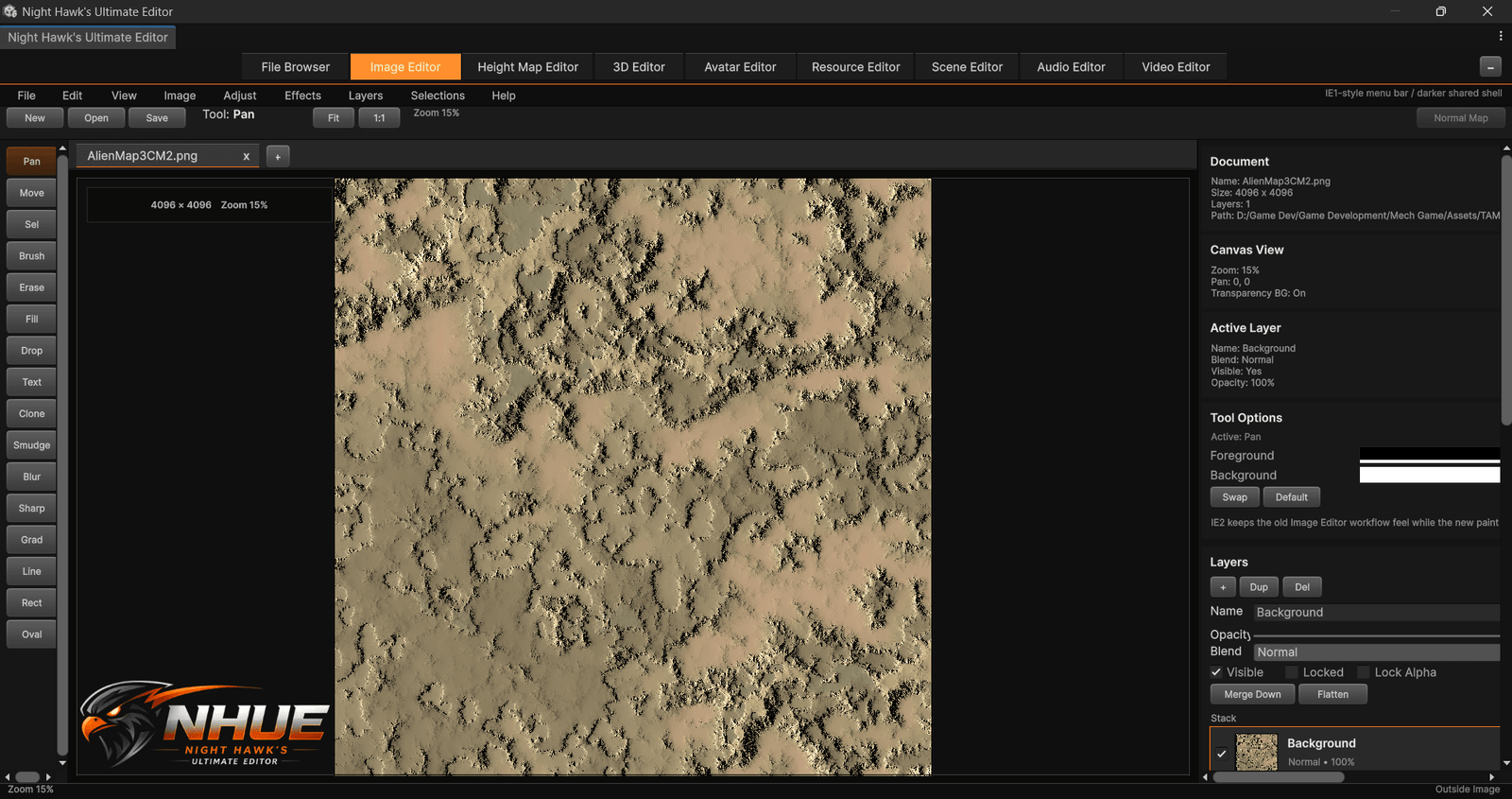 Image Editor
 Resource Editor
 Scene Editor
 Avatar Editor
Scene tools, avatar tools, and future creator systems.
NHUE is also growing into scene building and character creation. These areas are designed to support hierarchy workflows, viewport controls, avatar shaping, zones, textures, and future creature/character systems.
Technical enough to be powerful. Clean enough to stay usable.
NHUE is being built with real editor architecture underneath the UI: shared styles, module bridges, providers, import/export code paths, diagnostics, GPU/CPU-backed systems, and custom file formats.
Shared dark NHUE interface
Modules are designed to feel like one suite instead of disconnected Unity popups. The visual language uses deep panels, orange accents, card layouts, shared controls, and consistent editor spacing.
Diagnostics-first development
NHUE’s editors include performance reports, repaint tracking, preview timing, import reports, mesh diagnostics, selection diagnostics, and copyable debugging output for serious tool development.
GPU / CPU hybrid direction
Heavy workflows such as height map previews, terrain analysis, filters, masks, image processing, and selection systems can use faster backend paths where it makes sense, with safer fallbacks where needed.
Custom data, resource workflows, and import/export paths
NHUE is growing around practical file movement, custom editor formats, source mesh import, terrain packages, avatar data, zone layouts, graphs, modifier stacks, prefab/resource workflows, material-owner preview direction, and 3D format IO.
Built as a long-term Unity creator suite.
NHUE is in active development, so the feature set is intentionally expanding. Some systems are already working, some are being upgraded, and some are reserved as future editor modules.
Follow the development of NHUE.
Night Hawk’s Unified Editor is being built for Unity creators who want more tools, more control, and a workspace that feels like a full creative environment instead of a collection of small utilities.
Follow Development