Welcome to NHUE
Night Hawk’s Ultimate Editor, or NHUE, is a Unity editor toolkit I have been building to bring more of the creative workflow into one place.
The goal is not to make one small utility window. NHUE is growing into a larger editor suite inside Unity, with tools for 3D editing, terrain work, image and texture editing, resource and prefab editing, scene workflows, avatar tools, and more. I want it to feel like a real creative workspace, not a pile of disconnected panels that all look and behave differently.
NHUE is still in active development, but it has already grown into several major systems. Some are farther along than others, and some are still being built out piece by piece, but the bigger idea is clear: keep more of the work inside Unity, keep the tools connected, and give creators a workspace that feels stronger than the default editor workflow alone.
A Connected Unity Editor Suite
One of the main ideas behind NHUE is that the different editors should feel like they belong together. The 3D Editor is being built for model work, object editing, selection tools, pivots, gizmos, modifiers, import/export, Surface Forge, and the newer Editable Mesh 2.0 direction. It is meant to become a serious place for working with 3D content directly inside Unity.
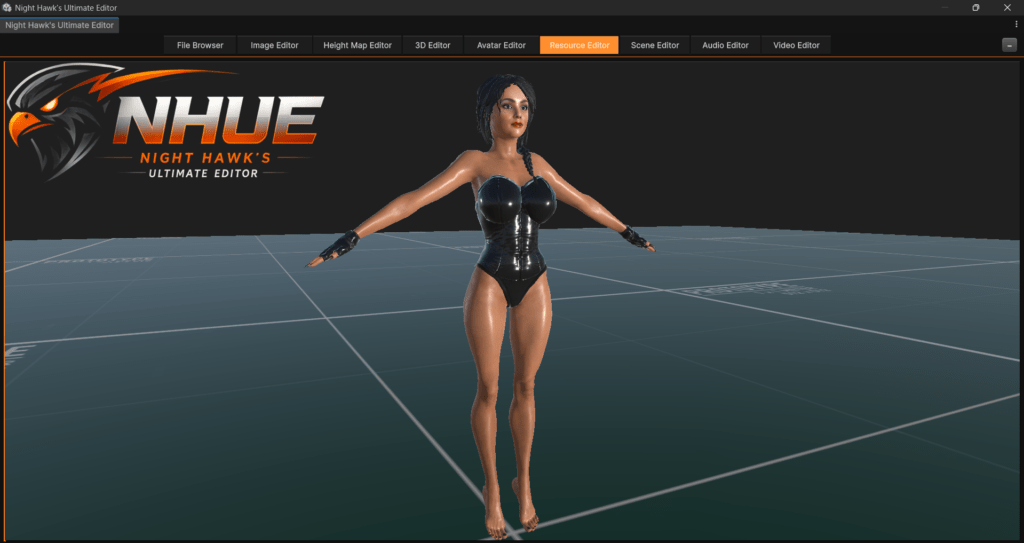
The Resource Editor is another major part of the project. It is not meant to be just a file browser. It is being built as a prefab and resource editing workspace where project content can be opened, previewed, inspected, lit, edited, and refined. The long-term goal is for it to become one of the main places to build and prepare reusable game content inside NHUE.
The Resource Editor is also moving toward workflows Unity does not normally handle in the same way, like previewing the real mesh or prefab that a material belongs to while editing that material. That kind of workflow is important because materials, prefabs, models, and scenes should not feel like separate jobs. They should be easier to work with together.
Terrain, Height Maps, and Worldbuilding Tools
The terrain side of NHUE has become one of the biggest parts of the toolkit. It includes height map tools, procedural terrain work, terrain filters, previews, and the Final Terrain Package system for turning terrain data into something easier to view, test, and present.
The Gradient Ramp Editor and Editable Gradient 2 add a stronger color workflow for terrain. Instead of just applying a simple ramp and moving on, NHUE can work with editable gradients, built-in terrain presets, terrain-aware randomization, ramp browsing, relief preview, and colormap export. That gives the terrain tools a better way to create different world styles, from desert and canyon terrain to snow, volcanic, alien, and fantasy looks.
NHUE also includes deeper terrain-data tools like Terrain Analysis Masks, the Alpha Mask Generator, and the Normal / Light Map Editor. These systems are meant to help turn heightmaps into useful supporting maps: slope masks, exposure masks, ridges, valleys, alpha layers, packed RGBA masks, normal maps, light maps, occlusion maps, and other outputs that can feed later terrain and material workflows.
Image, Texture, Scene, and Avatar Workflows
NHUE is also growing beyond terrain and 3D modeling. Image Editor 2 is being built for image and texture work, including layers, selections, effects, normal map workflows, material maps, seamless texture work, and texture preparation. The Scene Editor is focused on scene-style workflows such as hierarchy, viewport work, icons, object tools, and future scene-building features.
The Avatar Editor is still earlier in its public-facing development, but it is planned as a larger character and creature creation system with sliders, zones, source mesh import, texture zones, save formats, and future body-part workflows. That part of NHUE will take more time, but it fits the same larger goal: building more of the creative pipeline into one editor environment.
Why I Am Building It
I started building NHUE because I wanted more creative control inside Unity without constantly jumping between separate tools, plugins, and external programs. Unity is already powerful, but there are a lot of workflows that can feel scattered. NHUE is my attempt to pull more of those workflows into one place and make them feel like part of the same editor family.
The style is intentionally dark, with orange highlights and a consistent NHUE look across the different modules. The goal is not just to make things look cool, though that matters too. The goal is to make the tools easier to recognize, easier to keep moving through, and easier to expand as the project grows.
NHUE is being built one system at a time. Some parts are already working well, some are being redesigned, and some are planned for later. But the direction is simple: a serious Unity editor toolkit with its own identity, built for creators who want more power inside the editor.